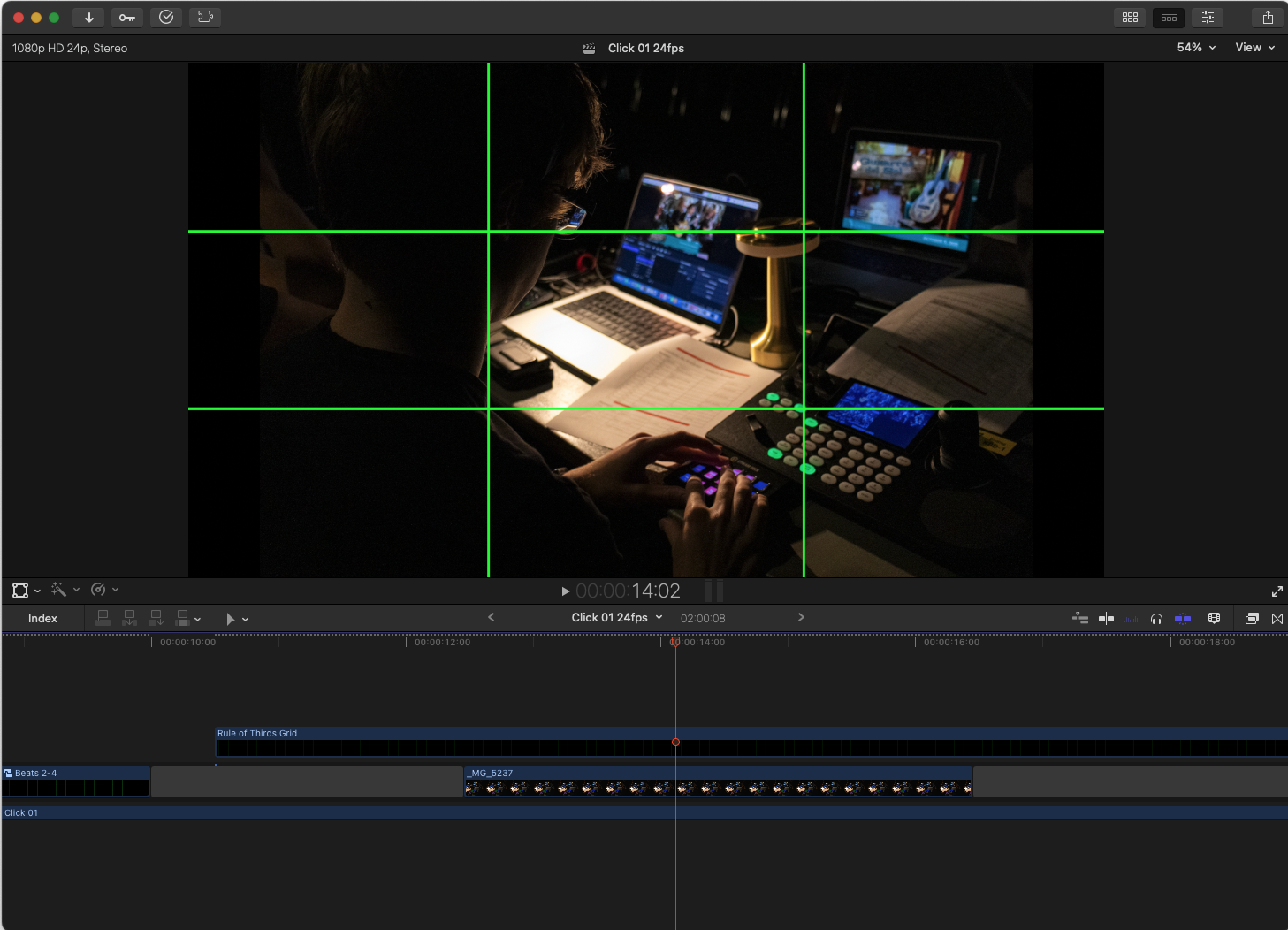
This is a basic Motion Generator I created for use in my Digital Media Technology class. It adds a rule-of-thirds grid overlay to any project in Final Cut Pro. If you’re a teacher, you might find it useful to add above the Primary Storyline in FCP as a quick way to demonstrate framing and composition.
These are the two ways I’ve used it:
- For demonstration: Drop the generator above any clip or film in the FCP Timeline to show how framing aligns with the rule of thirds.
- For student work: Add the generator on a layer above a student’s project in the FCP Timeline to review shot composition.
Installation Instructions
Download the ZIP file and unzip it:
Move the folder to:
Movies > Motion Templates > Generators
You may want to create a new folder, Custom, inside Generators.
Restart Final Cut Pro.
In Final Cut Pro, open the Generators sidebar. Your Rule of Thirds Generator will appear under the category that matches the folder name.
Drag it above your clip in the timeline.
There are some controls you can adjust in the Inspector: grid color, line visability, line thickness.
Enjoy!